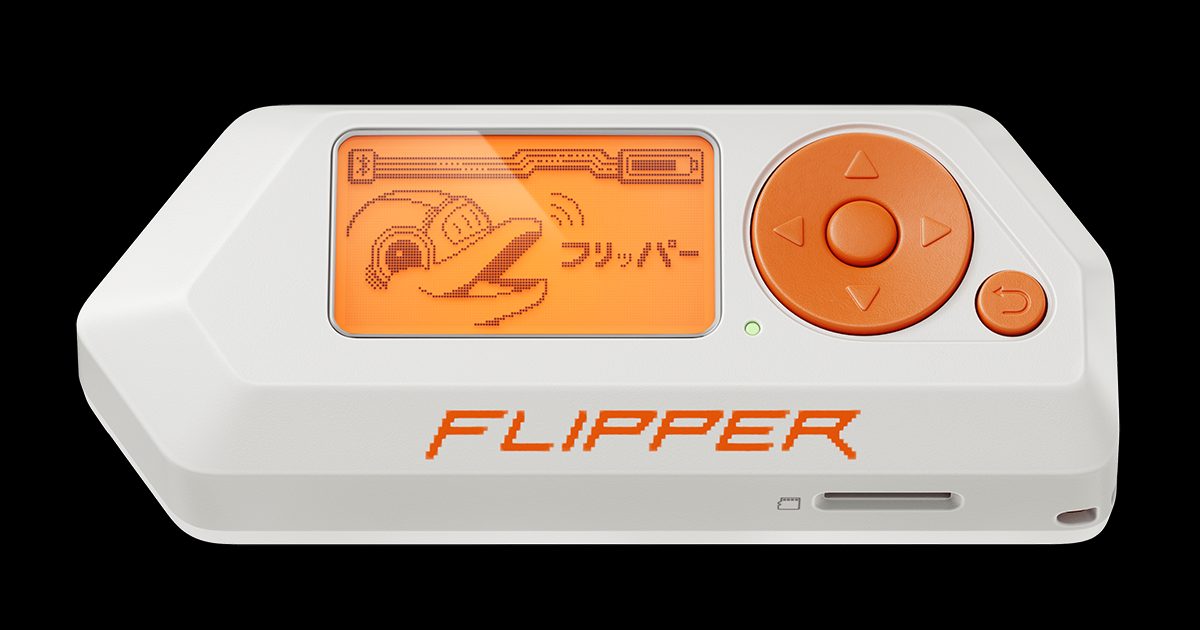
Header image: Official Flipper Zero product render. Image: Flipper Devices. Source: flipper.net.
Disclosure: some links below are Amazon affiliate links (tag cao04-20). Costs you nothing; the picks are the same either way. The Flipper.net links are plain links.
Note: Research was conducted on November 10, 2026 (America/New_York). Firmware versions and app counts can change; always verify the latest release on the official sites before flashing.
Part 1 of the Flipper Zero Momentum Beginner Guidebook. The Flipper Zero is a pocket multi-tool with radios, NFC, infrared, and GPIO. It ships with Flipper Devices’ Official Firmware (OFW), which is conservative on purpose. Community firmware loosens some of those limits and adds a lot of interface. That is useful, and it is also how people get themselves into trouble.
This series uses Momentum. This part is the decision, not the flash: who it is for, how it differs from Official Firmware, Unleashed, and RogueMaster, what actually changes on the device, and the legal lines that do not move when you install custom firmware. Setup on stock firmware is Part 2. Install steps are Part 3. Do not flash anything yet.
Who this bites
This series is for hobbyists, makers, and small-shop security people who already own a Flipper Zero, or are about to buy one, and want more control than the stock UI gives them — without compiling firmware just to change a theme. Momentum is a reasonable fit if you want Asset Packs (animations, icons, and fonts) you can install without rebuilding the firmware; a Momentum Settings (MNTM) app for menus, keybinds, and lock-on-boot; and most of the unlocked features found in Unleashed, on a firmware that Momentum’s own comparison table marks as receiving stable updates.
Stay on Official Firmware if you are happy with the stock tools, need a firmware path Flipper Devices officially supports, or are not prepared to do the extra legal diligence that comes with radios, credentials, and HID emulation. Custom firmware is optional. If you want the unlocked baseline without Asset Packs or lock-on-boot, Unleashed may fit better. If you want the largest preinstalled app pile and will accept less “stable updates,” per that same official table, RogueMaster may fit better. This series mentions both so you can make the call, then puts Momentum on the device and keeps going.
What a Flipper Zero actually is (and isn’t)
The Flipper Zero is a portable, open-source multi-tool built around an STM32WB55RG microcontroller. Flipper sells it as a device for pentesters and geeks in a toy-like body. It can interact with radio protocols, access-control hardware, infrared remotes, and GPIO-connected gear. Day to day it is autonomous: buttons and a screen, no computer required. You only need a phone or a computer to update firmware, through the official iOS/Android apps or the qFlipper desktop app.
If you still need the hardware, buy it from the official Flipper Zero store, or from a seller listed on Flipper’s US reseller page. As of this research date, Amazon.com does not have a reliable official listing of the device itself — Flipper’s US list is Micro Center, Lab401, and Hacker Warehouse, not Amazon — so those store links are plain links, not affiliate links. Official accessories sold by Flipper Devices Store on Amazon are a separate matter.
| Component | Spec |
|---|---|
| Display | 1.4” monochrome LCD, 128 × 64 pixels |
| Radio | Sub-1 GHz transceiver (CC1101) covering 315 / 433 / 868 / 915 MHz |
| RFID / NFC | 125 kHz RFID, 13.56 MHz NFC |
| Infrared | Learn + transmit module |
| Bluetooth | BLE 5.4 |
| GPIO | 13 user I/O pins (3.3 V, 5 V-tolerant inputs) |
| iButton | 1-Wire contact pad |
| Power | 2100 mAh LiPo, USB-C charging |
| Storage | microSD slot (up to 256 GB, FAT12 / 16 / 32 / exFAT) |
| Size / weight | 100 × 40 × 25 mm, 102 g |
A microSD card is required and is not in the box. Official docs say the device supports cards up to 256 GB, but a regular 16–32 GB branded card is sufficient; Flipper names SanDisk and Kingston as examples, and notes that larger cards can take longer to recognize. A SanDisk 32GB Ultra microSDHC card is one card in that band. If you carry the device in a pocket, the official Flipper Zero silicone case and Flipper Zero screen protector (3-pack) are sold on Amazon by Flipper Devices Store.
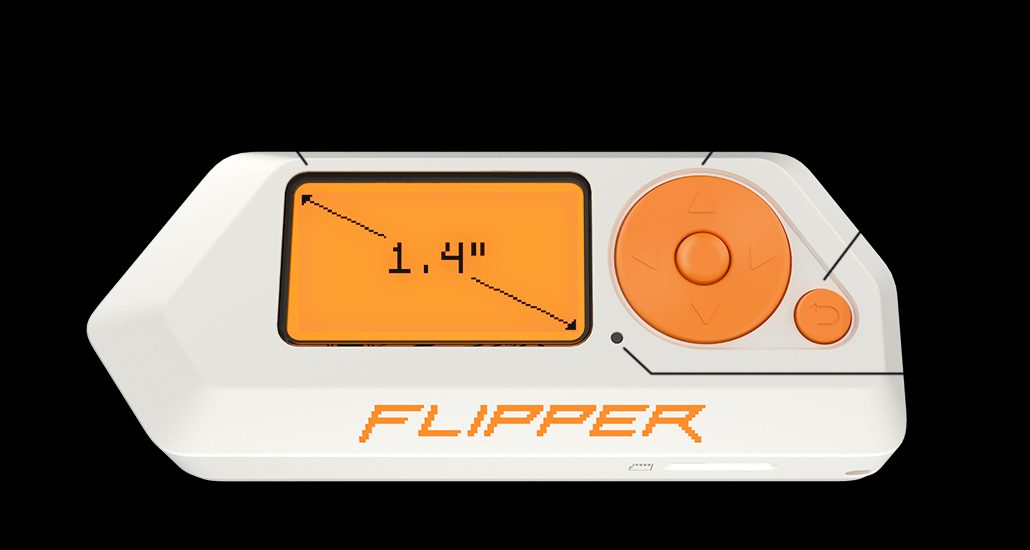
Image: Flipper Zero with the official 1.4” display callout. Image: Flipper Devices. Source: flipperzero.one.
It is not a universal key that opens any door, and owning one is not permission to test systems you do not own. Official Firmware is more conservative on some transmit and community features, on purpose. Custom firmware can lift some of those limits. That does not move the legal line.
What changes when you flash Momentum — and what doesn’t
Flashing Momentum does not change the hardware. The radios, the screen, the GPIO header, and the battery stay the same. What changes is the software, and a few defaults.
What changes, based on Momentum’s site, wiki, and GitHub README:
- Asset Packs and a settings app. You can install or create animation, icon, and font themes without recompiling. Open Momentum Settings by pressing UP on the Desktop, then opening the MNTM app (M logo). Details are in Parts 4 and 5.
- A redesigned interface, including eight main menu styles, a control center, and file search across the SD card.
- Unlocked features shared with other custom firmware, including BLE Spam, extra Bad Keyboard options, FindMy Flipper enabled automatically at startup, some rolling-code transmit, NFC Type 4 NDEF on NTAG4xx/DESFire, NFC EMV limited to basic card info, and name/MAC/serial spoofing. This series will not teach BLE spam, spoofing, or rolling-code transmit against other people or other people’s hardware.
- A few Momentum-only rows: full layout, menu, and keybind customization; the management app; lock-on-boot and reset-on-false-pin options; and file search. Subdriving — saving GPS coordinates with Sub-GHz captures — is on Momentum and RogueMaster, not Official Firmware or Unleashed.
- Broader Sub-GHz frequency configuration. The official README says Momentum Settings can extend Sub-GHz frequencies to 281–361, 378–481, and 749–962 MHz. That is a capability, not permission. If you do not know whether a frequency is legal to transmit on, do not transmit.
What does not change: your legal rights, the microSD requirement, the core tools, or where your data lives. User files stay on the card. Installing firmware does not by itself wipe them, but back up first. qFlipper’s Backup/Restore only backs up settings in the hidden .int folder. A real backup is a copy of the SD files.
Two easy mistakes: the homepage still advertises weather, POCSAG, and TPMS as integrated into Sub-GHz, but the mntm-011 changelog (July 4, 2025) moved them out of the main Sub-GHz app and into dedicated apps under Apps > Sub-GHz, because the CPU could not keep up. NFC EMV is basic card info only, not payment cloning. Rolling-code transmit is “at your own risk” even in Momentum’s own footnote. The site table still lists path-in-crash-messages as a Momentum yes, but mntm-012 disabled FURI_TRACE to save flash space, so furi_check failed crashes will not show the file path “for now.”
Current version, checked November 10, 2026: the latest mainline release is still mntm-012, published December 31, 2025 (UTC), labeled mntm-012 30.12.25 on the Web Updater. No newer numbered mainline was published as of the research date. Previous mainline: mntm-011, July 4, 2025. A dev/ folder on the update server was dated August 18, 2026, so dev builds may be newer. This series uses mainline. Re-check before you flash.
The four firmware lanes in one table
The table below is from Momentum’s official comparison, including the footnotes. Preinstalled app counts are dated April 2025 on that table. Do not treat them as current as of November 2026.
| Feature | Official Firmware (OFW) | RogueMaster | Unleashed | Momentum |
|---|---|---|---|---|
| Stable Updates | Yes | No | Yes | Yes |
| (Some) Rolling Code Support | Partial¹ | Yes | Yes | Yes |
| FindMy Flipper | Partial² | Yes | Yes | Yes |
| BLE Spam | No | Yes | Yes | Yes |
| Bad Keyboard (extra options) | No | Yes³ | Yes³ | Yes |
| NFC Type 4 (NDEF on NTAG4xx/DESFire) | No | No | Yes | Yes |
| NFC EMV (basic card info) | No | Yes | Yes | Yes |
| Sub-driving (save coordinates) | No | Yes | No | Yes |
| Full Customization (layouts, menus, keybinds) | No | No | No | Yes |
| Management App | No | Partial⁴ | No | Yes |
| Enhanced RGB Backlight modes | No | Yes | Yes | Yes |
| Spoofing (name, MAC, serial) | No | Yes | Yes | Yes |
| Improved Security (boot lock, false-pin reset) | No | No | No | Yes |
| Asset Packs (icons, fonts, themes) | No | Partial⁵ | No | Yes |
| VGM Color Options | No | Yes | No | Yes |
| Enhanced Level System | No | Yes | No | Yes |
| File Search | No | No | No | Yes |
| Disk Image Management | No | Yes | No | Yes |
| Improved Error Messages | No | No | No | Yes |
| Preinstalled External Apps (April 2025) | 3 | 421 | 226 (with [e] pack) | 183 |
Footnotes, from Momentum’s table:
- Official Firmware supports some rolling-code receivers, but cannot send captured signals. Custom firmwares can (at your own risk).
- Official Firmware needs manual setup for FindMy Flipper; custom firmwares enable it automatically at startup.
- These firmwares add extra Bad KB options in Bad USB, as proposed to Official Firmware in PR 4136.
- Partial functionality, fewer options in RogueMaster’s “CFW Settings” management app.
- RogueMaster uses a different format that only supports animations, not icons or fonts.
Read the table as a map, not a scoreboard. Official Firmware is the conservative, vendor-supported path. Unleashed is the unlocked baseline without Momentum’s customization layer. RogueMaster, on this table, is the kitchen-sink option: the most preinstalled apps and a “no” on stable updates. Momentum sits with Unleashed on the unlocked features, then adds the settings app, full Asset Packs, and lock-on-boot. A “yes” is not a recommendation to use the feature. BLE spam, identity spoofing, and rolling-code transmit stay off-limits unless you own the target or have written authorization.
Why this series picks Momentum
We needed one firmware to teach against. Momentum combines an Unleashed-like unlocked baseline with a settings app and Asset Packs that beginners can use without recompiling. The official wiki describes it as based on Official Firmware, including most features from Unleashed, and as a direct continuation of the former Xtreme firmware, built by the same developers.
Image: Momentum Firmware project graphic. Image: Next-Flip / Momentum Firmware. Source: GitHub README assets.
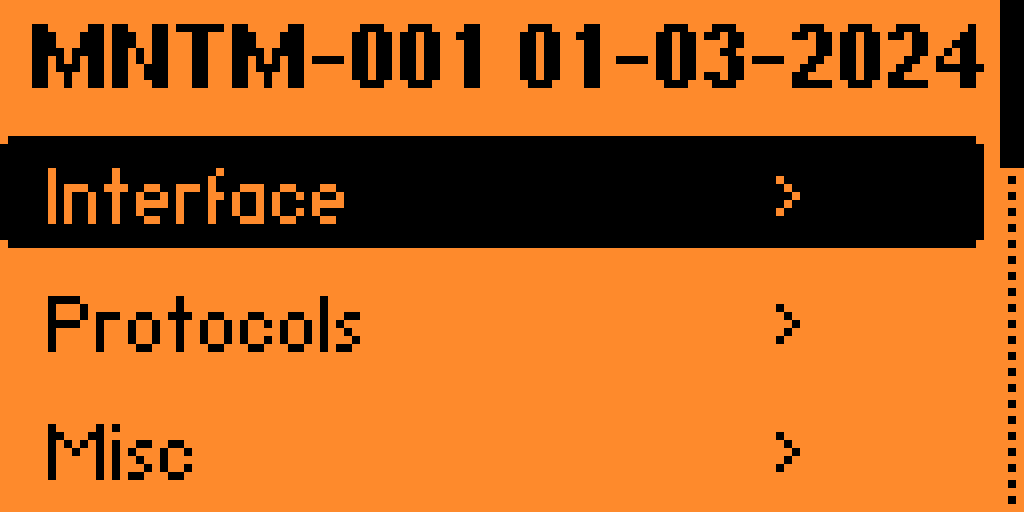
Screenshot: Momentum Settings (MNTM) categories. Screenshot: Next-Flip / Momentum Firmware (README). The MNTM-001 build label in this screenshot is from the project’s docs, not the current mainline release.
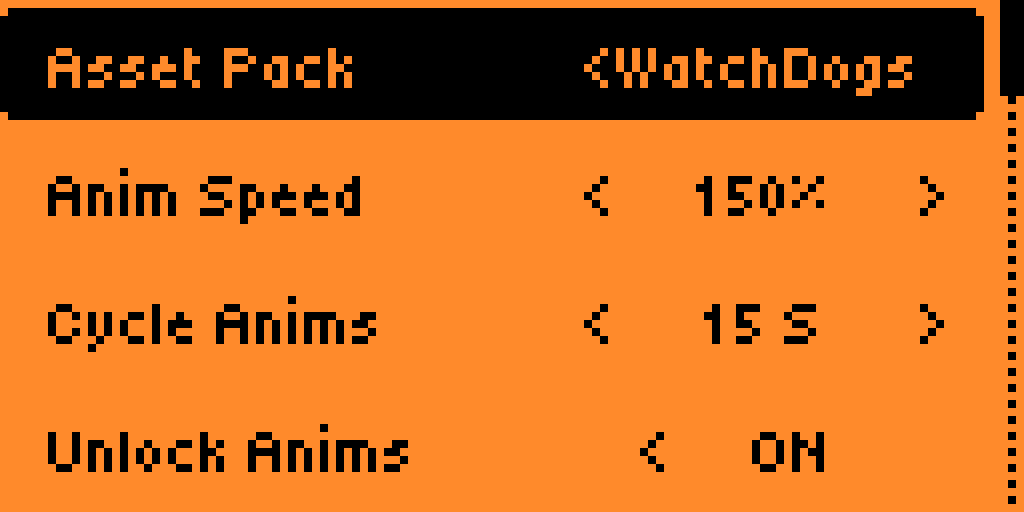
Screenshot: Asset Pack selection in Momentum Settings. Screenshot: Next-Flip / Momentum Firmware (README).
If those extras do not matter to you, you do not need Momentum. Unleashed is the unlocked baseline. Official Firmware is the conservative path. This series stays on Momentum so later parts can use one Settings app, one Asset Pack workflow, and one update channel.
Legal and ethics ground rules for the whole guidebook
This guidebook is for learning on hardware and tags you own, or have written authorization to test. Transmitting on restricted frequencies, cloning access credentials, interfering with other people’s devices, or using BadUSB / Bad KB against systems you do not own can be illegal. There is no “bypass building access” framing in this series. Local laws vary; you have to check yours.
The following rules apply to every part:
- Radio transmission. Sub-GHz, BLE, and NFC transmissions are subject to local regulations (for example, FCC Part 15 in the United States, ETSI rules in Europe). Do not transmit on restricted frequencies or in ways that could cause interference.
- Credential handling. Cloning or replaying RFID or NFC tags you do not own is illegal in most jurisdictions. Use the Flipper only on tags you own or have permission to test.
- BadUSB / Bad KB. These tools can emulate keyboards or other HID devices. Use them only on machines you own or have explicit consent to test.
- BLE spam and name/MAC spoofing. Ethical use is limited to personal devices or a controlled lab. Do not target strangers or public spaces. Momentum’s homepage mentions pranking people nearby; this series will not.
- Custom firmware. Installing Momentum expands capability but does not expand legal rights. You remain bound by the same laws that apply to the stock device.
When in doubt, don’t transmit and don’t emulate. Check your local laws before you experiment with radio or HID features.
Trade-offs and skip-if (stay on Official Firmware if…)
- You want the vendor-supported path. Momentum is community-maintained. If you need a firmware Flipper Devices officially supports, stay on Official Firmware.
- You do not want the extra features present on the device. Even if you never open BLE Spam, Bad KB extras, broader Sub-GHz options, or identity spoofing, custom firmware still puts them on the unit.
- You are not prepared to follow the legal and ethics rules above. Then do not flash custom firmware, and be conservative on Official Firmware too.
- You only need the built-in RFID, infrared, and GPIO tools. Official Firmware already does that work with a simpler UI.
If any of those apply, keep Official Firmware. You can still follow Part 2’s setup guide. Skip the install in Part 3.
Series roadmap (Parts 2–10)
| Part | Title |
|---|---|
| 2 | Setup: SD card, charge, first boot (on stock firmware first) |
| 3 | Install Momentum (Web Updater, Lab/App, qFlipper, SD zip) |
| 4 | Momentum Settings (MNTM): menus, keybinds, lockscreen |
| 5 | Asset Packs |
| 6 | Sub-GHz basics (legal limits; listen vs transmit) |
| 7 | NFC and RFID beginners |
| 8 | Infrared + BadUSB / Bad KB (own machines only) |
| 9 | FindMy Flipper and Bluetooth tools (ethics for BLE spam) |
| 10 | Apps, backups, updates, troubleshooting |
Each part is meant to stand alone, but the safe order is stock setup first, then the flash, then Settings and Asset Packs, then the radios and HID tools with the legal notes next to them.
Checklist
Before you flash Momentum, run through this list:
- Get the hardware from Flipper or a listed reseller if you do not already own a Flipper Zero.
- Buy a microSD card. It is required and is not in the box. A regular 16–32 GB branded card is enough; a SanDisk 32GB Ultra microSDHC card sits in that band. Optional for pocket carry: the official silicone case and screen protector.
- Finish stock setup first (Part 2): charge, insert the card, and complete first boot on Official Firmware.
- Back up the SD card by copying the files. qFlipper Backup/Restore only backs up settings in the hidden
.intfolder. - Charge the Flipper so it will not die mid-flash. Official sources do not give a minimum percentage.
- Read the latest release notes and confirm the version. As of November 10, 2026, mainline is mntm-012. Re-check before you flash.
- Verify the Web Updater URL —
https://momentum-fw.dev/update— and that it is HTTPS. Install methods are in Part 3. Momentum recommends the Web Updater (Chrome, Web Serial). - Close qFlipper, Flipper Lab, and the official mobile app before you start a flash.
- Pick mainline unless you have a reason to run dev. This series uses mainline. Note the exact version you flash.
- Confirm legal compliance for any radio or HID features you plan to use. If you cannot, stay on Official Firmware.
- Optional: keep a spare microSD in case the primary card is corrupted during setup.
FAQ
What is the difference between “mainline” and “dev” builds?
Mainline releases (for example, mntm-012) are packaged, versioned, and intended for general use. Dev builds in the dev/ folder may be newer — that folder was dated August 18, 2026, when mainline was still mntm-012 — but they do not carry the same stability guarantees. This series uses mainline.
Can Momentum run on a Flipper Zero without a microSD card?
The firmware lives in internal flash, but user data, apps, and Asset Packs live on the microSD card. Official docs say a card is required to use the device. This series treats a card as mandatory.
Do I need to reinstall my apps after flashing Momentum?
Installing firmware does not by itself wipe user files on the SD card, but always back up first. Copy the SD files. Do not assume qFlipper Backup/Restore is enough.
How often does Momentum receive stable updates?
As of November 10, 2026, the latest mainline is mntm-012, released December 31, 2025. The previous mainline, mntm-011, was released July 4, 2025 — a gap of several months, not a weekly cadence. Check the Web Updater or GitHub releases for whatever has shipped since.
Is the FindMy Flipper feature safe to use in public spaces?
FindMy uses BLE advertising. Custom firmwares, including Momentum, enable it automatically at startup, per Momentum’s comparison table. This part does not document a disable path; see Part 9.
Does custom firmware let me clone payment cards or open doors I do not own?
No. NFC EMV on these firmwares is basic card info only, not payment cloning. Owning a Flipper Zero, with or without Momentum, is not permission to test or copy credentials, radios, or computers you do not own.
The bottom line
If you want Unleashed-like unlocked features plus a settings app, Asset Packs, and a firmware marked for stable updates on Momentum’s own table, Momentum is the build this series will put on the device. If you want the unlocked baseline without that UX layer, look at Unleashed. If you want the largest app pile and will accept the “no stable updates” mark, look at RogueMaster. If you want the conservative, vendor-supported path — or you cannot commit to the legal rules above — stay on Official Firmware.
Do the stock setup in Part 2 next. The flash waits until Part 3.
Previous: none Next: Part 2 – Flipper Zero Setup Guide: SD Card, Charge, and First Boot
Sources
12 refs- https://flipperzero.one/flipperzero.one
- https://momentum-fw.dev/momentum-fw.dev
- https://momentum-fw.dev/wiki/momentum-fw.dev
- https://momentum-fw.dev/wiki/Installationmomentum-fw.dev
- https://momentum-fw.dev/update/momentum-fw.dev
- https://github.com/Next-Flip/Momentum-Firmwaregithub.com
- https://github.com/Next-Flip/Momentum-Firmware/releases/tag/mntm-012github.com
- https://github.com/Next-Flip/Momentum-Firmware/releases/tag/mntm-011github.com
- https://up.momentum-fw.dev/builds/firmware/up.momentum-fw.dev
- https://docs.flipper.net/basics/sd-carddocs.flipper.net
- https://flipper.net/products/flipper-zeroflipper.net
- https://flipper.net/pages/resellersflipper.net
comments
loading comments…
No comments yet. Start the thread.