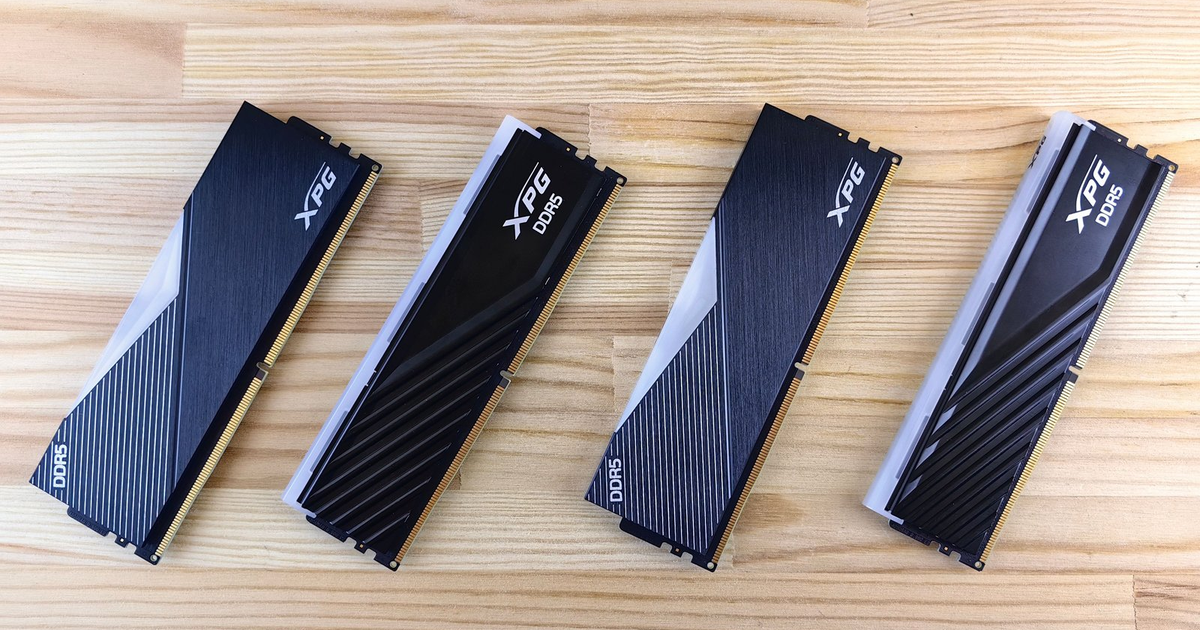
Header image: DDR5 memory modules laid out on a wooden surface. Photo: Andrey Matveev / Pexels.
Disclosure: some links below are Amazon affiliate links (tag cao04-20). Costs you nothing; the picks don’t change.
Note: Micron CEO Sanjay Mehrotra’s “no end in sight” comments were published October 1-2, 2026. TrendForce’s Q4 price projection landed October 8. This is current as of October 11.
Somewhere in your files there’s an invoice from last year for a 16GB DDR4 SODIMM — about $45, ordered on a Tuesday, installed in a laptop before lunch. That same repair this quarter is a different purchase order, and not because anyone got greedy at the parts counter. The memory underneath the sticker is up — way up — and the CEO of one of the three companies that make most of it says the shortage has “no end in sight” and “will probably get worse.”
This stopped being a gamer problem or a rumor the moment Micron’s CEO, Sanjay Mehrotra, attached numbers to it: more than 75 percent of Micron’s 2027 output is already sold out, and the high-bandwidth memory for 2027 was contracted at much higher prices. J.P. Morgan’s research puts DRAM up more than 400 percent from the start of 2024 to the end of 2026. TrendForce, whose projections the memory industry actually reads, sees conventional DRAM rising another 10 to 15 percent quarter-over-quarter in Q4.
If you run a shop of three to ten people, the move here is boring and concrete: buy the memory for the machines you’re keeping this quarter, budget 15 to 20 percent more on anything you planned to order next year, and skip the upgrades on machines that are dying anyway. No panic, no hoarding — just moving purchases you were already going to make onto the cheap side of the curve while there’s still a cheap side.
Here’s the evidence, then the specifics: which DDR4 to order for old machines, when a DDR5 32GB kit is the right default, and when the correct answer is to buy nothing at all.
Why RAM is suddenly the most expensive line on the PC budget
Start with what Micron actually said, because “RAM shortage” gets used loosely and this one has receipts. As PCMag reported, Mehrotra said there is “no end in sight” for the memory shortage and that it “will probably get worse” before it gets better. More than 75 percent of Micron’s 2027 output is already sold out — sold, contracted, gone — and the company’s high-bandwidth memory volumes for 2027 were contracted at much higher prices. Read that second part carefully, because it’s the part that reaches your repair bench: the AI buyers aren’t just consuming supply right now, they’re pre-paying for it two years forward.
The timeline is the other half of the story. Memory executives expect this shortage to run through 2028, and Ars Technica’s reporting notes that the new fabs coming online that year won’t be enough to end it — PCMag makes the same point about the fabs. In the meantime, the share of wafer capacity going to high-bandwidth memory — the AI stuff — rises from about 20 percent to about 28 percent in 2027, per the same Ars Technica piece. This is not a blip you wait out. The supply response lands in 2028 at the earliest, arrives short, and the demand side isn’t waiting for it.
Now the price math, which is the part a purchase order actually feels. J.P. Morgan puts DRAM prices up more than 400 percent from the start of 2024 to the end of 2026. Four hundred percent means the upstream contract price is more than five times what it was at the start of 2024. Your $45 invoice from last year sits downstream of that, and retail module prices don’t track contract prices tick for tick — inventory bought at old prices, seller margin, and the specific module all blur the signal. That’s why this piece links “check the current price” searches instead of quoting numbers that will be wrong by the time you read them. But the direction is not in dispute, and neither is the slope.
And the reason it’s happening is the part worth keeping in your head when a quote comes in high:
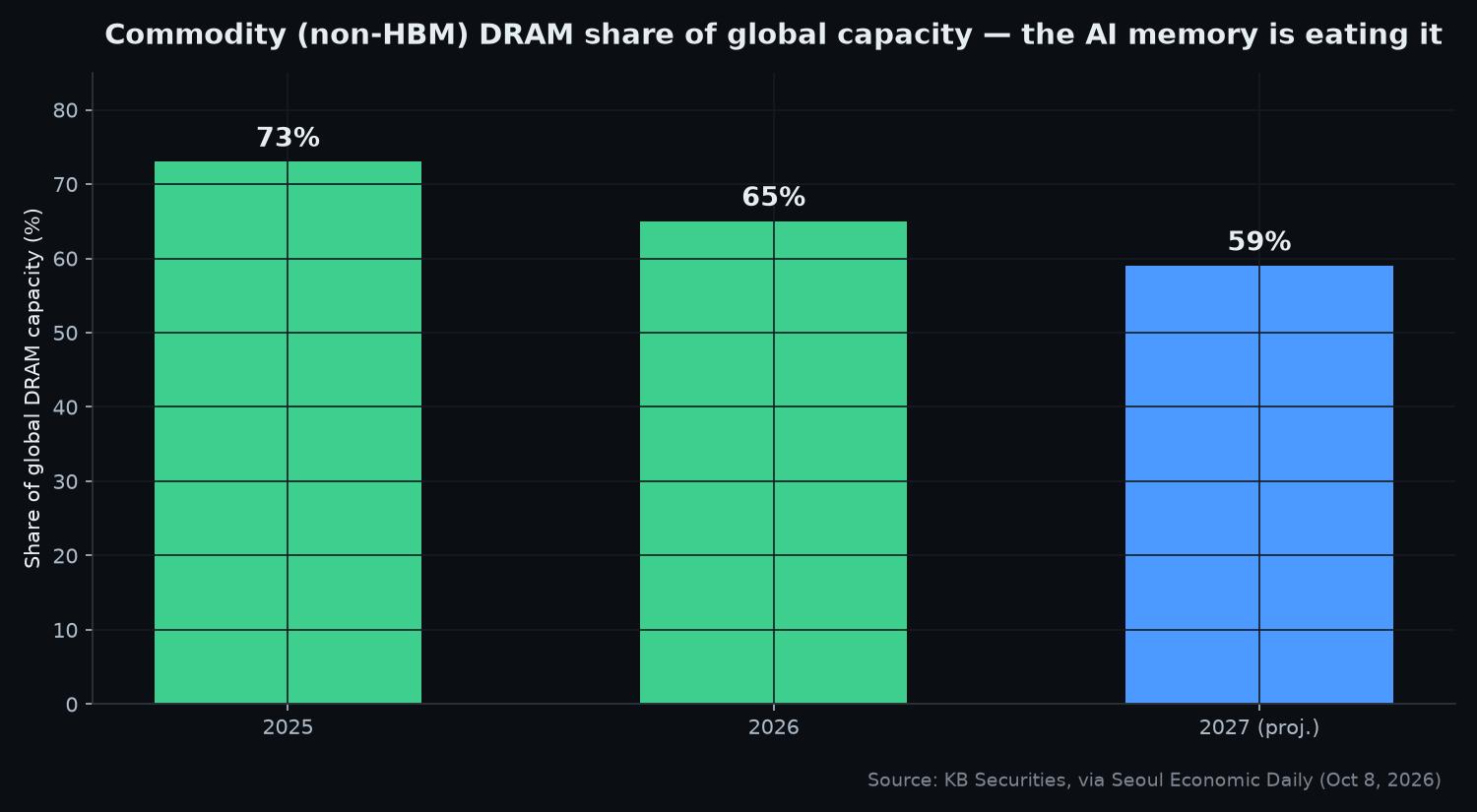
Commodity (non-HBM) DRAM as a share of global DRAM capacity, 2025 through the 2027 projection — the wafer capacity that ordinary modules compete for is shrinking underneath them. Chart: Ctrl Alt Orion, from KB Securities via Seoul Economic Daily.
Every point of share in that chart that moves from commodity DRAM to HBM is wafer capacity that isn’t making the modules a small shop buys. The fabs follow the money: a wafer sold for AI memory at prices KB Securities expects to double, via Seoul Economic Daily, earns more than the same wafer turned into ordinary SODIMMs. You don’t have to care about AI to be paying for it. You’re paying for it at the parts counter, in the PC quote, and in the 2027 laptop line of your budget.
What the shortage does to the machines a shop actually buys
The numbers above are about the memory market. Here’s what they do to the machines a shop actually buys, which is where the shortage stops being a news story and starts being a line item.
The big PC makers are saying it out loud. PCMag’s coverage has HP saying more price hikes are coming and blaming the memory shortage. And Dell’s XPS 13 dropped its base storage at the $799 price — same familiar total, smaller machine. That second move is the one to watch, because it’s shrinkflation dressed as a price hold, and it works on exactly the people who only read the total on a quote.
Then the trend line: TrendForce’s projection, published October 8, has conventional DRAM rising another 10 to 15 percent quarter-over-quarter in Q4. Quarter-over-quarter matters for timing. The quote you asked for in September and re-ask in January is not the same quote, and the gap compounds every quarter the shortage runs.
Then there’s the change that hits the repair bench directly: Crucial stopped selling RAM to consumers this year, as Ars Technica reported. Crucial is Micron’s consumer brand — for years it was the boring, safe, cheap pick you put in other people’s machines without thinking twice. When the budget brand leaves the building, the floor under module prices goes with it. The reference price in your head — “RAM is cheap, it’s always been cheap” — is retired. What’s left is marketplace listings at whatever the market will bear.
The operator takeaway, said plainly: a “same price as last year” PC quote is usually a smaller machine. Read the RAM and storage lines, not just the total. Sit down with the two quotes side by side and compare row by row: base memory, memory type, whether the memory is soldered or slotted, base storage, and what the next config up costs. A machine with soldered memory has no upgrade path later — this year’s shrinkflation becomes next year’s forced replacement, because the one cheap fix (more RAM) was designed out of the machine. In a shortage, upgradeability is worth a small premium, not a line item to shave.
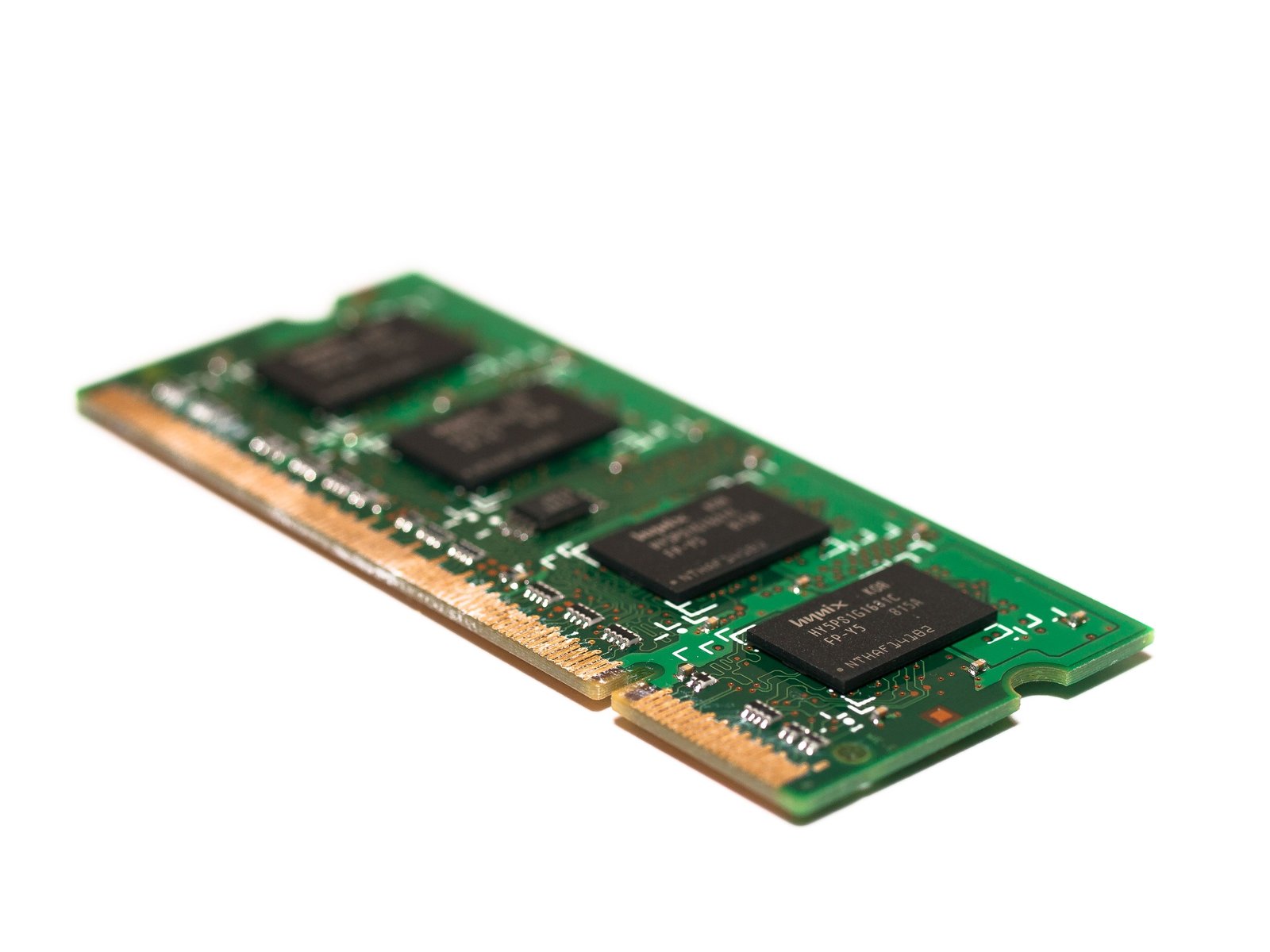
A memory module up close — the green PCB and gold contacts a shortage makes expensive. Photo: William Warby / Pexels.
Buy now or wait: the decision table
So, the actual question: buy now or wait. The honest answer is that it depends on the machine, not the market. The market part is settled — prices are up, the CEO of a major supplier says they’re going higher, and the supply response is years out. What varies is whether a given machine deserves any memory money at all.
| Machine situation | What to do | Why |
|---|---|---|
| Aging DDR4 laptop you’re keeping 2+ more years | Buy the SODIMM upgrade this quarter | The module costs a fraction of a replacement laptop, and the price path from here is up, not flat |
| Old DDR4 desktop tower still doing one job | Buy a matched pair now, cheap insurance | A single-stick machine is one dead module from downtime, and the pair drops into open slots without throwing anything away |
| New PC order planned for 2027 | Budget +15-20% or pull it into Q4 2026 | TrendForce’s Q4 projection points up and Micron’s 2027 is already sold out; a 2027 order prices a worse market than a late-2026 one |
| Machine that’s failing for other reasons | No RAM purchase fixes a dying board | Money that goes into a failing machine is money that doesn’t go toward its replacement |
| Prebuilt-only buyer | Watch base configs, the shrinkflation point above | The total looks familiar; the machine got smaller |
The row people argue about is the 2027 order, so it deserves the honest version. You have two defensible moves and one bad one. Pull the order into Q4 2026 and you pay this year’s prices for a machine you’d rather have bought next year — the cost is cash timing, not price. Or keep your date and budget the 15 to 20 percent — the cost is price, not timing. The bad move is assuming the price holds and budgeting last year’s number. Micron’s sold-out 2027 and TrendForce’s Q4 projection both point the same direction, and no amount of hoping re-contracts next year’s memory.
Then there’s the streak that sounds paranoid until the first time it pays: a 4-person shop with five aging machines should keep one spare DDR4 SODIMM on the shelf like receipt paper. When a stick dies — and in a five-machine fleet, eventually one does — the machine is down until you can buy a replacement, and “until you can buy one” means until the courier arrives, not until you click order. Meanwhile, the replacement price only goes up from here. The spare on the shelf converts a multi-day outage into a ten-minute swap, and it costs the same whether you buy it this week or during the outage — except during the outage you’d pay anything. Same logic as receipt paper: trivially cheap when you buy it on purpose, brutally expensive when you need it right now.
One boundary on all of this: RAM makes a machine faster at its job. It doesn’t decide what job the machine should have. If the aging machine’s real problem is that it’s propping up a workflow that should live on a proper file server, the better spend isn’t memory — extending an old machine into file-server duty is the subject of the budget home server piece, and it’s often the move that retires three problems at once.
The DDR4 you should actually buy for the old machines
Now the specifics. For the old machines — anything from the DDR4 era, which in a small shop is most of the fleet — there are exactly two purchases worth making, plus the shelf spare.
For laptops, it’s a 16GB DDR4 SODIMM at 3200:
DDR4 SODIMM 16GB 3200 — check the current price
This is historically the cheapest meaningful upgrade in a small shop: a 4GB or 8GB laptop goes to 16GB, the swap takes ten minutes with a Phillips screwdriver, and a machine everyone had written off as “slow” gets another two or three years of useful life. It’s also exactly the kind of module — commodity, non-HBM, ordinary — that’s first to inflate when commodity DRAM tightens, which is the entire argument for buying it this quarter rather than someday.
Spec discipline, because a shortage is the worst time to overpay for the wrong thing. 3200 MT/s is the ceiling most DDR4-era laptops support; a faster-rated module runs at the machine’s speed, not its own, so the listing with the higher rating isn’t a better module for this job, it’s a more expensive one. Buy the speed your machine actually takes. For desktops, buy a matched pair — two identical sticks — so the board can run dual-channel. And skip the heat spreaders and RGB shrouds; that’s gamer tax on a machine whose whole job is running the label printer.
For the old towers:
DDR4 16GB 3200 desktop pair — check the current price
An old tower still doing one job — the shipping station, the bench machine that runs one program all day — usually has a single stick in it. A matched pair is cheap insurance against the most likely hardware failure in that machine’s remaining life, and the open slots mean it drops in without throwing away what’s already there.
An honest note on used and refurb DDR4, because it’s about to be everywhere: used memory is cheap and mostly fine. A module either passes a memory test or it doesn’t, and sticks pulled from decommissioned office machines are usually good for years. The catch is the warranty path. When used RAM shows up dead-on-arrival, there is no RMA — you eat it and buy again. For one spare shelf module, that’s a defensible gamble: the worst case is being out one module’s price on a chance you were taking anyway. For a fleet refresh, it’s not: five machines’ worth of used sticks with no return path isn’t savings, it’s a bet with your downtime as the stake. During a shortage, the sellers who can’t test what they ship are also the ones who scale up. Buy used for the shelf spare if the price is right; buy new for the machines people work on.
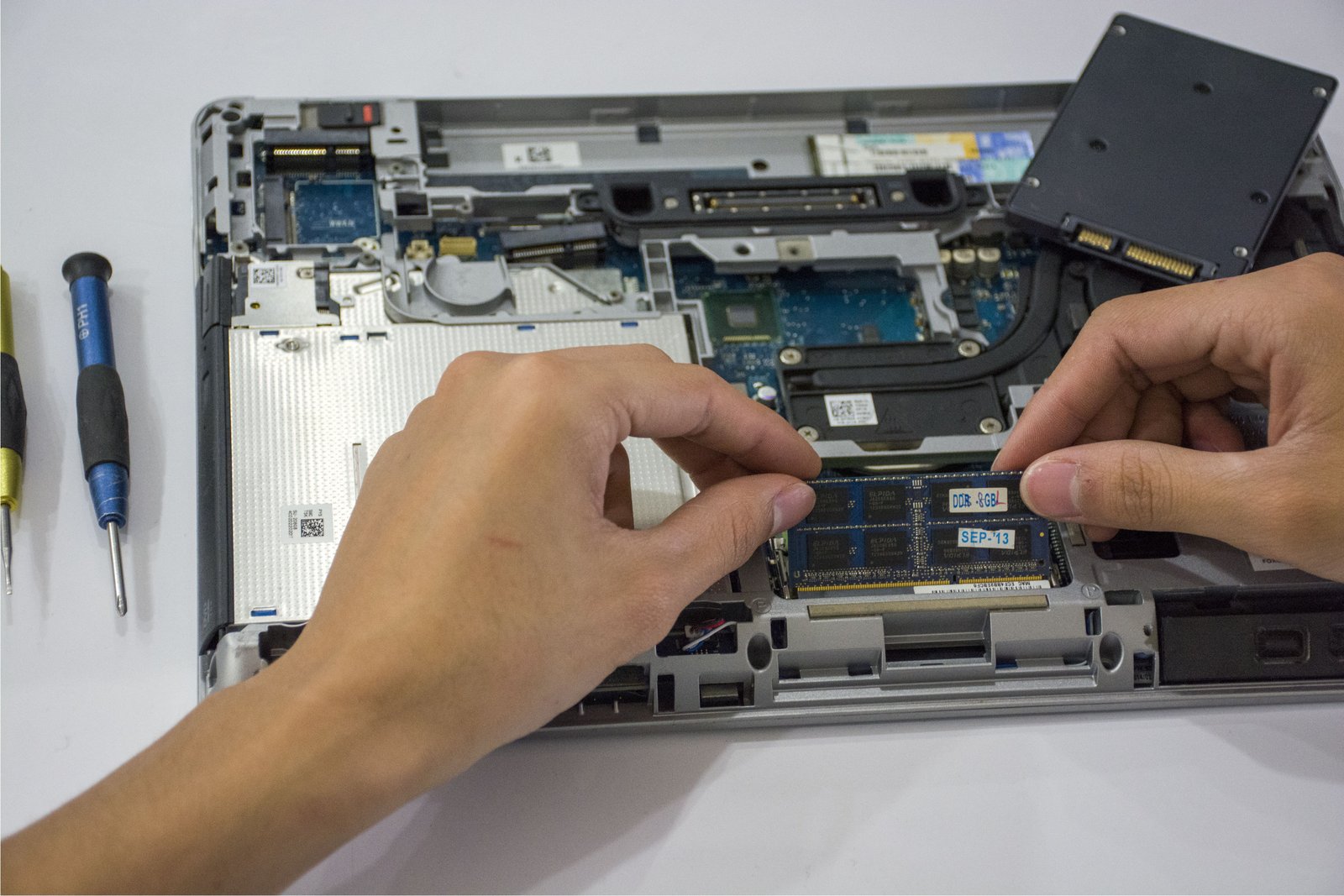
Hands inside an open laptop — the ten-minute SODIMM swap that beats buying a machine. Photo: Elias Gamez / Pexels.
When not to buy this. Three situations where the correct upgrade is no upgrade:
Don’t upgrade a machine with a failing board, a cracked screen you already tolerate, or an OS that stops getting security patches next year. Memory makes a machine faster at having a future; it does nothing for a machine that’s about to become e-waste with your money inside it. If the replacement is in this year’s budget anyway, the upgrade money belongs to the replacement. And an OS that stops getting security patches turns any machine into a liability no amount of RAM fixes — the shop’s data walks through that hole no matter how fast the machine runs.
Don’t pay scalper prices. The shortage is real, and so are the listings that ride a shortage. If a module lists above roughly its historical street price, wait a week and re-check before buying — the overshoot listings tend to settle, and a week of patience costs nothing. In a rising market you can’t dodge the rise; you can only avoid being the listing’s funding source. One discipline that helps: compare like-for-like across the search page rather than against your memory of what RAM used to cost. Your memory is out of date, and comparing to it makes every listing look like a scam, which is its own way of making bad decisions.
Don’t buy DDR3 anything. If the machine takes DDR3, this article isn’t about it. That machine is a recycle, not an upgrade — the board, the platform, and the security posture are all end-of-life together, and DDR3 money is better held toward the replacement. All a DDR3 purchase does now is occupy shelf space and delay the decision.
The DDR5 math for machines you’re keeping
For the machines on the other end — anything 2023 or newer that you’re keeping another three years — the default is a DDR5 32GB kit:
DDR5 32GB kit — check the current price
Thirty-two, not sixteen, and the reasoning is about the shortage as much as the specs. Sixteen gigabytes is workable today for a POS-plus-email machine, but a three-year keep means buying for the machine’s whole remaining life, and the honest floor for a work machine keeps rising as software follows hardware upward. A 2x16 kit keeps the board in dual-channel and leaves no second purchase to make later — which, in this market, is the actual advantage.
There’s one workload that genuinely justifies 64GB in a small shop, and it’s local AI. Running models on your own hardware is the one thing in a normal shop’s life that eats memory like a workstation does — the local LLM piece covers why a shop would want that and what it really costs, and the sandbox mini PC piece is the kind of box that needs the headroom. If the machine’s job is orders, email, and the accounting package, 32 is plenty. Buy 64 when the workload is named, not because bigger numbers feel safer.
Then the capacity-versus-price step, which is the most shortage-specific advice in this piece: buying the bigger kit now beats planning to add a second kit later. The “buy 32 now, add another 32 next year” plan quietly assumes three things, and the shortage is breaking all of them. It assumes the same kit will still be sold — and Crucial’s exit from consumer RAM shows the market for ordinary modules can simply go away. It assumes the second kit matches the first well enough to run together — kits are binned in pairs for a reason, and mixing chips, especially in a tightened market with rotating revisions, is where “should work” goes to die. And it assumes next year’s price, when TrendForce’s projection and Micron’s sold-out 2027 both say next year is worse. If the machine is a three-year keep and the bigger kit fits this quarter’s budget, the bigger kit now is the safer buy than the promise of a matching kit in 2027.
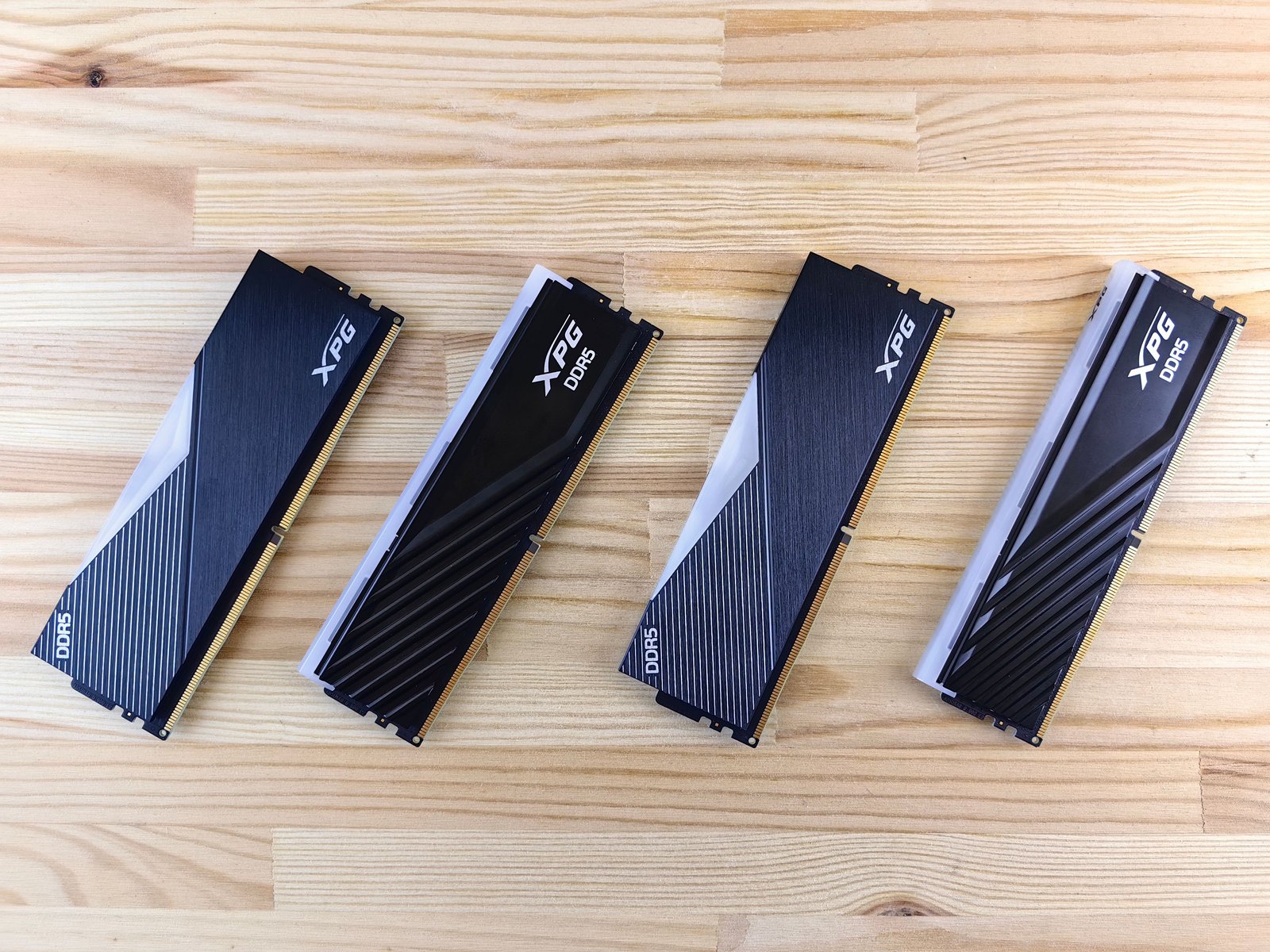
DDR5 modules on a desk — buy the kit that fits the machine’s whole remaining life. Photo: Andrey Matveev / Pexels.
When this doesn’t apply
Everything above assumes you buy machines and modules. Plenty of shops don’t, and for them the shortage reads differently.
If you lease or refresh hardware every three years on a vendor contract, memory pricing is the lessor’s problem. The refresh price already contains the vendor’s memory forecast, and pulling a lease forward “before RAM goes up” means paying depreciation twice to dodge a cost that lives in someone else’s invoice. Hold the refresh date. What you should do is the shrinkflation check: when the refreshed machines arrive, verify the base configs against what you had, because “same contract price” can quietly mean a smaller machine — the same PC-quote point from above, wearing a lease.
If you buy only prebuilts and never open the case, the actionable move is config diligence, not module shopping. Read the RAM and storage lines on every quote, prefer slotted memory over soldered where there’s a choice, and do the math on what the next config up costs at purchase time versus what it would cost as an upgrade later — in this market, “later” is the expensive word. And if you’d rather own a machine whose price isn’t a memory-market derivative at all, a fixed-price box like the ones in the Mac mini back-office buying guide sits outside this whole article by design: same money, different exposure.
If the shop runs two Chromebooks and a tablet: you don’t have upgradeable RAM, and nothing in this piece applies to your hardware. Your exposure is next year’s replacement price, not this year’s module price. For you this article is a budgeting heads-up — replacement quotes a year out are going to carry whatever the memory market does — and the honest advice is to run the machines until they genuinely die.
One final honesty note, because any piece telling people to buy during a shortage owes you this: nobody should buy RAM as an investment, and nobody should hoard modules “because prices will rise.” Memory on a shelf earns nothing, ties up cash, and goes stale — DDR4 is already yesterday’s platform, and DDR5 will be too eventually. This piece is about timing purchases you were already going to make: the laptop you were upgrading anyway, the tower you were extending anyway, the PC order you were placing anyway. If the shortage is the only reason money leaves your account for RAM, it’s not a purchase, it’s a position, and the supply closet is a bad desk for taking positions. The whole move is: same shopping list, better dates.
Sources
5 refs- Micron CEO: No End in Sight for Memory Shortage, ‘Will Probably Get Worse’ — PCMag: the CEO’s “no end in sight” and “will probably get worse” comments, 75%+ of 2027 output sold out, HBM 2027 volumes contracted at much higher prices, the 2028 fabs being insufficient, HP’s warning of more price hikes, and the Dell XPS 13 base-storage cut at $799.pcmag.com
- Memory Supplies Are Only Getting Tighter, Micron CEO Says — Ars Technica: memory executives expecting the shortage to run through 2028, HBM wafer share rising from ~20% to ~28% in 2027, and Crucial’s exit from consumer RAM this year.arstechnica.com
- The DRAM memory shortage from AI — J.P. Morgan Global Research: DRAM prices up more than 400% from the start of 2024 to the end of 2026, and the downstream pressure on device prices.jpmorgan.com
- TrendForce Press Center: the October 8, 2026 projection of conventional DRAM rising another 10-15% quarter-over-quarter in Q4.trendforce.com
- HBM prices to double as memory shortage drives Samsung — Seoul Economic Daily: KB Securities’ figures on commodity (non-HBM) DRAM falling from 73% to 65% to a projected 59% of global DRAM capacity, and HBM prices doubling.en.sedaily.com
comments
loading comments…
No comments yet. Start the thread.