
Header image credit: Handwritten notes are the main reason most students buy a tablet. Photo: Jakub Zerdzicki / Pexels.
Disclosure: some links below are Amazon affiliate links (tag cao04-20). Costs you nothing; the picks are the same either way.
Every August the same thing happens. A student hunting for the best budget tablet for college students picks the cheapest one with a good logo, and only then learns the pen and keyboard cost extra. By the time the cart can handle a 9 a.m. lecture and a lab report that night, the budget tablet costs as much as a laptop.
So this guide starts from a different question: what does it cost to get a tablet, a pen, and a keyboard (all three) that will survive four years in a backpack?
The buying order that matters for a college student:
- Is the pen in the box? A separately sold stylus is the most common hidden cost.
- What does the keyboard cost, and does it have a trackpad? You will write papers on this thing.
- Will it last until graduation? Software updates and a water/dust rating matter more than benchmark scores.
- Does your major need software a tablet can’t run? Check the syllabus before you check the specs.
- Then, and only then, processor and screen.
Prices were checked on Amazon on October 7, 2026. They move weekly, so tap through for the live number.
Quick picks: the best budget tablet for college students at a glance
The short version of the best tablet for college students in 2026, by budget and by what’s in the box:
| Pick | Best for | Screen | Pen in the box? | Keyboard | Price at time of writing |
|---|---|---|---|---|---|
| Samsung Galaxy Tab S10 FE | Most students | 10.9” | Yes (S Pen) | Optional; bundle available | Around $385 (around $500 with Keyboard Slim) |
| Samsung Galaxy Tab S10 Lite | Tightest budget with a real pen | 10.9” | Yes (S Pen) | Optional | Around $315 |
| Lenovo Idea Tab Plus | Most screen for the money | 12.1”, 2560 x 1600 | Yes, in the bundle linked (Tab Pen) | Optional | Around $250 |
| Lenovo Chromebook Duet 11 | Pen and keyboard in the box | 10.95”, 1920 x 1200 | Yes (USI Pen 2) | Included folio | Around $500 |
| Samsung Galaxy Tab S10 FE+ | Big-canvas note-taking | 13.1”, 2880 x 1800 | Yes (S Pen) | Optional | Around $535 |
| Apple iPad Air 11-inch (M4) | Stretch pick for iPad-only apps | 11”, 2360 x 1640 | No | Optional (Magic Keyboard) | Around $649 on Amazon; $549 Apple education price |
What a college student actually needs from a tablet
 A tablet earns its keep when it replaces the paper notebook, not when it sits next to one. Photo: Pexels.
A pen in the box: the note-taking must-have
If you want a tablet with a pen for note-taking (lecture notes, problem sets, annotated PDFs), the pen is the whole point. Samsung includes an S Pen with the Galaxy Tab S10 FE and S10 FE+ (Samsung) and with the S10 Lite (MyNextTablet), and Lenovo bundles a USI Pen 2 and a keyboard folio with the 8GB Chromebook Duet 11 (Vivid Repairs). Apple sells the Apple Pencil separately from the iPad Air, and that one line item reshuffles the whole price ranking.
A keyboard with a trackpad, or a plan for one
A ten-page paper is miserable on glass. Samsung offers two keyboard options: the Book Cover Keyboard, which has a trackpad, and the cheaper, lighter Book Cover Keyboard Slim, which doesn’t (MyNextTablet). If you’ll write long papers on the tablet, pay for the trackpad. If the keyboard is just for quick emails and discussion posts, the Slim is fine.
Battery that outlasts a lecture day
Don’t read manufacturer video-playback ratings as note-taking hours. Samsung rates the Tab S10 FE at up to 20 hours of video playback (Samsung), but PCMag’s own battery test of the bigger Tab S10 FE+ came in at 7 hours, 45 minutes (PCMag). Owners of the Chromebook Duet 11 report 8 to 10 hours of mixed use against Lenovo’s claim of around 12 (Vivid Repairs). Plan for a charger in your bag on long lab days, whatever you buy.
Durability and updates that last four years
A freshman’s tablet should still be getting security patches at graduation. Samsung’s Tab S10 FE and S10 Lite both get 7 years of Android updates (MyNextTablet), and the FE and FE+ carry an IP68 water and dust rating (Samsung).
Check the syllabus before you check the specs
These tablets run Android, ChromeOS, or iPadOS, not desktop Windows or macOS. The Duet 11 can run Android apps and Linux apps through ChromeOS’s built-in Linux environment, but not Windows software (Vivid Repairs). If your engineering, architecture, or stats program requires a specific desktop app, the tablet is a note-taking companion, not your only computer.
Under $400: the best budget tablet for college students
1. Samsung Galaxy Tab S10 FE: the one most students should buy
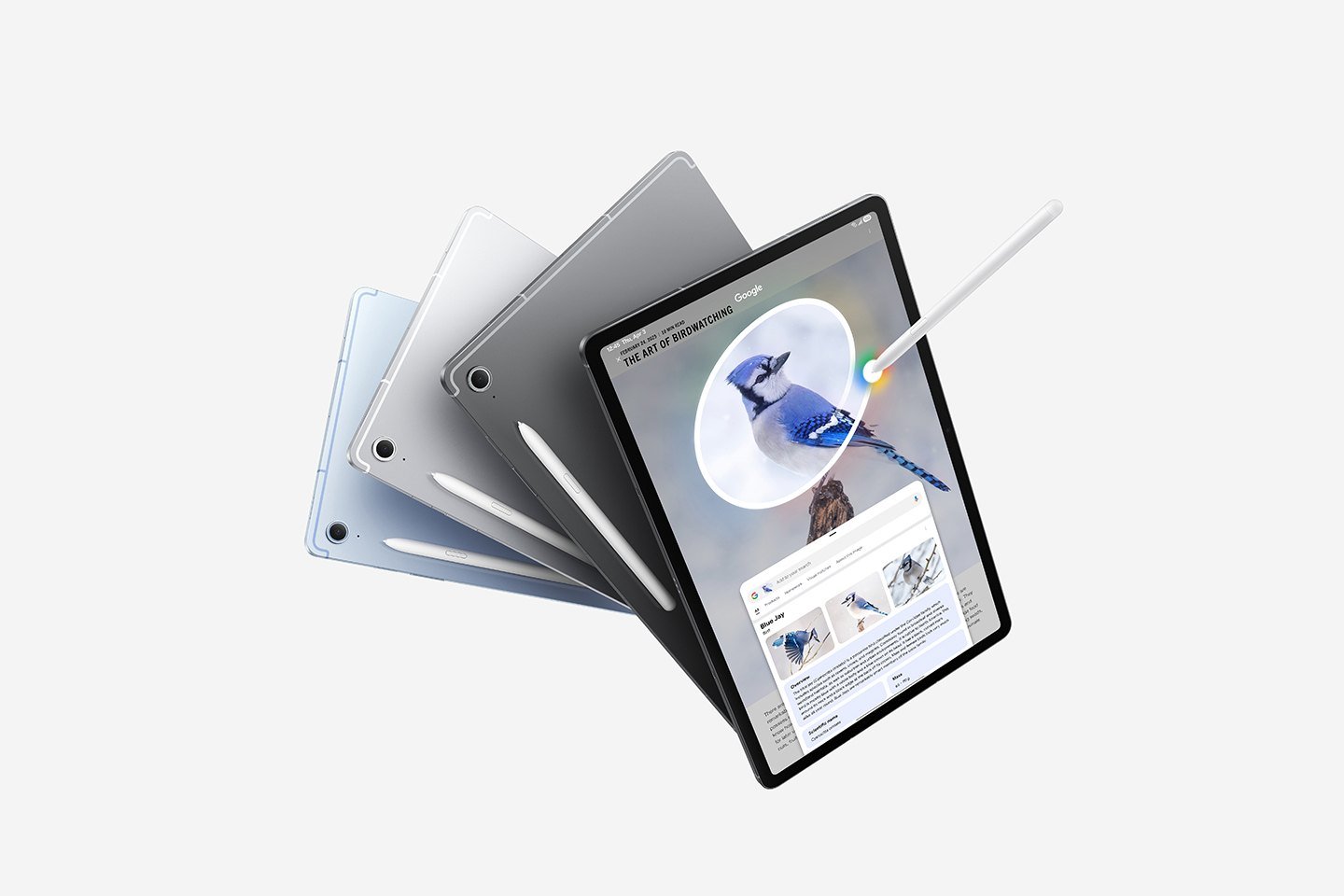 The S Pen ships in the box with every Galaxy Tab S10 FE-series tablet. Image: Samsung.
Samsung Galaxy Tab S10 FE (128GB, Wi-Fi): check current price · With Book Cover Keyboard Slim bundle
This is my default pick because it’s the cheapest tablet here that ticks every box above. It has a 10.9-inch screen, an S Pen in the box, an IP68 rating, and up to 2TB of microSD expansion (Samsung). Compared with the S10 Lite, the FE adds the IP68 rating, a fingerprint reader in the power button, and a little more speed, and it still gets the same 7 years of updates (MyNextTablet).
At time of writing it’s around $385 on its own, or around $500 bundled with the Book Cover Keyboard Slim. That’s roughly $115 for the keyboard, and a full pen-and-keyboard setup for about what the Duet 11 costs. Samsung DeX gives you a desktop-style window mode with the keyboard attached, but the FE line doesn’t output video to an external monitor over USB (MyNextTablet).
- Buy it if: you want one device for notes, readings, and light essays that’s still updated at graduation.
- Skip it if: your program requires desktop software, or you want to plug into a dorm monitor. Neither will work here.
2. Samsung Galaxy Tab S10 Lite: the cheapest real S Pen
Samsung Galaxy Tab S10 Lite (128GB): check current price
If around $315 at time of writing is the ceiling, this is the tablet I’d buy. It’s the same 10.9-inch size as the FE, the S Pen is still included, it works with Samsung’s Book Cover keyboards, and it gets the same 7 years of updates. MyNextTablet calls it “a great tablet for students” because of the S Pen and keyboard option (MyNextTablet).
The compromises are real, though. MyNextTablet lists a slow processor, weak gaming, no fingerprint reader, and only USB 2.0, and the IP68 rating is one of the things you give up by not buying the FE. The Amazon listing I link is the 6GB RAM / 128GB configuration.
- Buy it if: your tablet’s job is notes, PDFs, and Google Docs, and every dollar counts.
- Skip it if: you’ll lean on it for heavier apps or gaming between classes. The FE is worth the step up.
3. Lenovo Idea Tab Plus: the most screen for the money
Lenovo Idea Tab Plus with Tab Pen and folio case: check current price
The Idea Tab Plus gives you a 12.1-inch, 2560 x 1600 IPS screen, a MediaTek Dimensity 6400, 8GB of RAM, 128GB of storage, and a 10,200mAh battery (SoundsNerdy). SoundsNerdy lists it at $329 with a stylus. The Amazon bundle I’m linking includes Lenovo’s Tab Pen and a folio case (not a keyboard) and was around $250 at time of writing.
Reviews are positive with a clear ceiling. SoundsNerdy’s roundup shows 8 of 8 reviewers recommending it, with a consensus score of 76 out of 100. Trusted Reviews’ verdict is the student pitch in one sentence: “For students who need an affordable tablet that includes a stylus and offers great side-by-side multitasking for productivity on the go, the Lenovo Idea Tab Plus is an easy option to recommend.” The same roundup flags sluggish performance in demanding games and slower UFS 2.2 storage.
- Buy it if: you read a lot of PDFs and slides and want the biggest screen under $300.
- Skip it if: you need a keyboard in the price (it’s an add-on), or you want Samsung’s seven-year update promise. Check that Lenovo’s update policy fits your four-year plan before you buy.
$400 to $700: the best tablet with pen and keyboard for students
4. Lenovo Chromebook Duet 11: keyboard and pen both in the box
Lenovo Chromebook Duet 11 (8GB, keyboard + USI Pen 2): check current price
On paper this is the most complete package here. You get a MediaTek Kompanio 838, 8GB of RAM, 128GB of eMMC storage, and a 10.95-inch 1920 x 1200 touchscreen, with both the folio keyboard and a USI Pen 2 in the box (Vivid Repairs). It’s fanless, so it’s silent in a library. With the keyboard attached it weighs about 1.1kg (roughly 2.4 lb), and owners report 8 to 10 hours of mixed use.
The complaints are typical of a tablet keyboard: shallow key travel, no keyboard backlight for evening classes, and only two USB-C ports plus a headphone jack (no microSD).
My caveat is price. Vivid Repairs’ value verdict is a UK review. In the US, the 8GB pen-and-keyboard version was listed around $500 on Amazon at time of writing, which is about the same as the Tab S10 FE with its keyboard bundle. At that price the Duet only wins if you specifically want ChromeOS. Grab it on a sale, and skip the 4GB variants. Vivid Repairs calls 8GB “the sweet spot” for keeping lots of tabs open without reloads. Our sources don’t state how long the Duet gets updates, so check its Auto Update Expiration (AUE) date before you buy; our budget Chromebook guide walks through that math.
- Buy it if: your classes run on Google Docs and Google Classroom, and you want a laptop-style setup with nothing extra to buy.
- Skip it if: you need Windows apps, or the price hasn’t dropped from around $500.
5. Samsung Galaxy Tab S10 FE+: the 13-inch notebook
Samsung Galaxy Tab S10 FE+ (13.1”, 128GB): check current price
If you take notes beside lecture slides or annotate full-page readings, screen size matters. PCMag’s Editors’ Choice FE+ has a 13.1-inch, 2880 x 1800 display with an 800-nit peak and a 90Hz refresh rate, an Exynos 1580 chip, IP68 protection, an S Pen in the box, and Samsung’s promise of seven years of Android OS and security updates. PCMag lists “students and remote workers” among the people it’s for (PCMag). It weighs 1.46 lb, and it ran 7 hours, 45 minutes in PCMag’s battery test.
It was around $535 at time of writing. The trade-offs are that it’s Wi-Fi only (5G is limited to the smaller FE), and the official full-size keyboard cover is pricey, so MyNextTablet suggests waiting for a sale (MyNextTablet).
- Buy it if: you want the largest pen canvas under $600 and mostly study at a desk.
- Skip it if: your backpack is already heavy. The 10.9-inch FE is the better everyday carry.
6. Apple iPad Air 11-inch (M4): the stretch pick
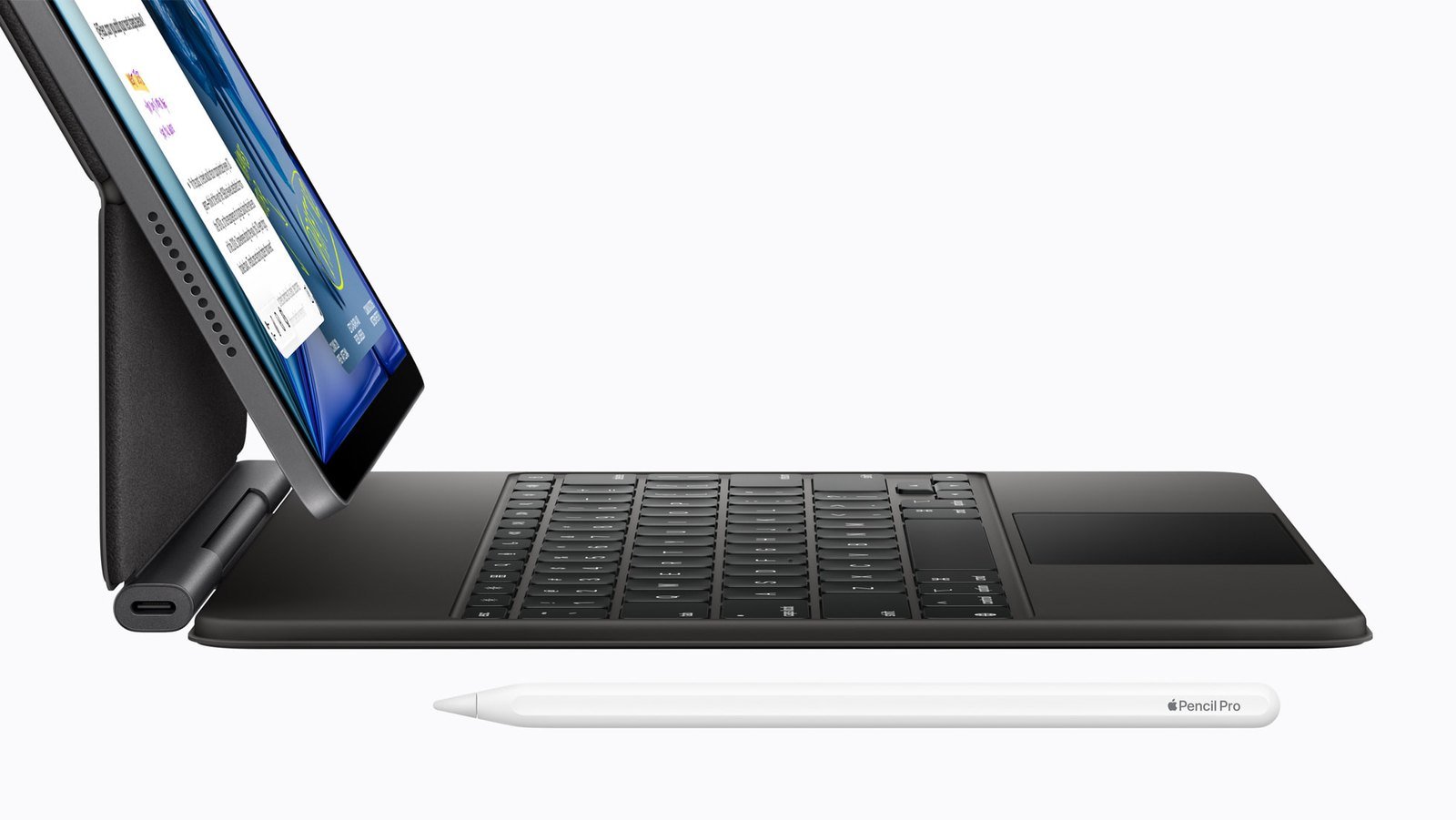 The iPad Air works with the Magic Keyboard and Apple Pencil Pro. Both are sold separately. Image: Apple.
Apple iPad Air 11-inch (M4, 128GB): check current price
Not a budget tablet, but the one students ask about. The 11-inch iPad Air has Apple’s M4 chip, a 2360 x 1640 screen, 128GB of storage, a weight of 1.02 lb, and up to 10 hours of battery life, and PCMag names “college students” as its first audience (PCMag). It supports the Apple Pencil Pro and Magic Keyboard (Apple), but neither is in the box.
One money-saving detail matters here. Apple’s education price for the 11-inch iPad Air is $549, against a $599 regular starting price (Apple). Amazon had it around $649 at time of writing, so check both. Add a pen and keyboard and it’s the priciest setup here by a distance.
- Buy it if: your program relies on iPad-only apps, or you already live on a Mac and iPhone.
- Skip it if: you’re buying on price. The Galaxy Tab S10 FE with its keyboard bundle covers the same note-taking job for less.
Pen, keyboard, and update costs compared: what’s really in the box
This table decides the best tablet with pen and keyboard for students, because “starting price” hides the accessories.
| Tablet | Pen | Keyboard | Water/dust rating | Software updates |
|---|---|---|---|---|
| Galaxy Tab S10 FE | S Pen included | Sold separately or in a bundle (Book Cover Keyboard has a trackpad; Slim doesn’t) | IP68 | 7 years |
| Galaxy Tab S10 Lite | S Pen included | Same Samsung options | Not IP68 (an FE-only extra) | 7 years |
| Lenovo Idea Tab Plus | Tab Pen in the linked bundle | Sold separately | Not stated in our sources | Check Lenovo’s policy |
| Lenovo Chromebook Duet 11 | USI Pen 2 included | Folio keyboard with trackpad included | Not stated in our sources | Not stated in our sources |
| Galaxy Tab S10 FE+ | S Pen included | Sold separately (full-size cover) | IP68 | 7 years |
| iPad Air 11-inch (M4) | Sold separately | Sold separately | Not waterproof (PCMag) | PCMag: Apple supports most devices for at least five years |
Can a tablet replace a laptop for college?
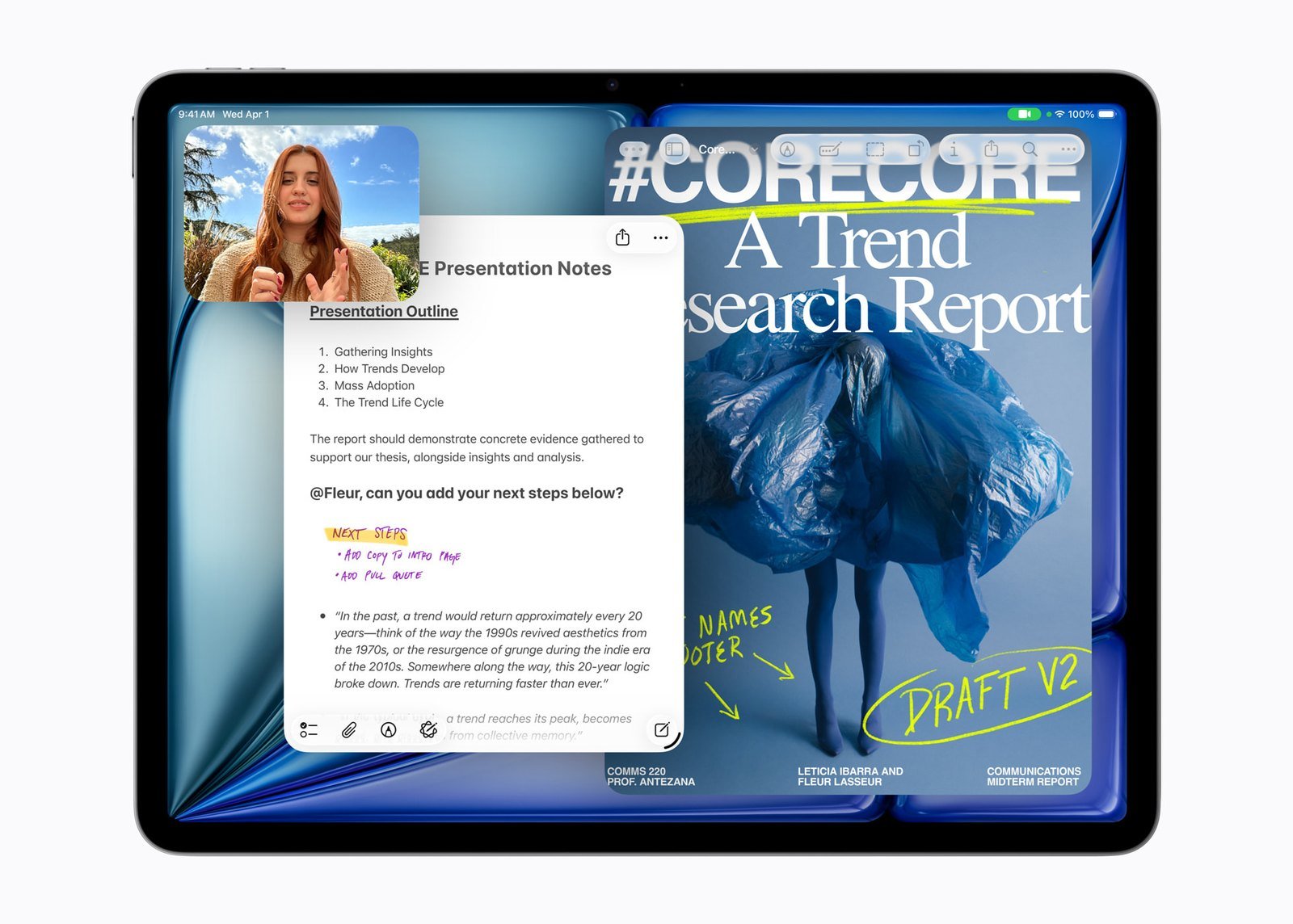 Split-screen notes beside your research is where tablets beat paper. Image: Apple.
For many majors, mostly yes. Reading, handwritten notes, slides, and Google Docs all work well on a tablet with a keyboard. Samsung DeX lets the Galaxy tablets run apps in windows, the way you would on a desktop (PCMag), and the Duet’s ChromeOS is a laptop OS to begin with.
It stops working when a course requires desktop-only software, or when you’re writing a 20-page thesis on a shallow folio keyboard. Then the tablet is the note-taker and a laptop does the heavy lifting. If the tablet will live on a dorm desk most of the semester, our desk upgrades under $150 cover lighting, cables, and a better keyboard.
What college students should skip
- The Galaxy Tab A9+ for note-taking. PCMag likes it as a cheap Android tablet, but it doesn’t support Samsung’s active S Pen (PCMag). Without a pen, it’s the wrong tool for this job.
- Amazon Fire tablets as a school device. They don’t have the Google Play Store, so many course and productivity apps are off the table. They’re fine for e-books, wrong for class.
- Cellular models. PCMag’s advice holds for students too: use your phone’s hotspot and skip the extra hardware cost and data plan.
- Business-counter tablets. Shopping for a register or self-order screen instead of a study device? That’s a different buying order; see our POS and kiosk tablet guide.
Frequently asked questions
What is the best budget tablet for college students in 2026?
For most US college students, the Samsung Galaxy Tab S10 FE. It includes the S Pen, has an IP68 rating, gets 7 years of updates, and was around $385 at time of writing, or around $500 with Samsung’s Keyboard Slim bundle. On a tighter budget, the Galaxy Tab S10 Lite keeps the S Pen for around $315.
What is the best tablet with pen and keyboard for students?
If you want both in one box, the Lenovo Chromebook Duet 11 ships with a folio keyboard and a USI Pen 2. If you’re open to a bundle, the Galaxy Tab S10 FE with the Book Cover Keyboard Slim was about the same price at time of writing and adds IP68 and Samsung’s update promise.
Do I need a tablet with a pen for note-taking in college?
If you take math, science, or any class with diagrams, yes. Handwriting equations and sketches is where a tablet beats a laptop outright. Every Samsung pick here (Tab S10 FE, S10 FE+, and S10 Lite) includes the S Pen, the 8GB Duet 11 includes a USI Pen 2, and the Idea Tab Plus bundle linked above includes Lenovo’s Tab Pen. The iPad Air is the only pick without a pen in the box.
Is the iPad Air worth it over a Galaxy Tab S10 FE for college?
Only if you need iPad-specific apps or already use a Mac and iPhone. Use Apple’s $549 education price, and budget separately for the pen and keyboard: with education savings, Apple lists the Apple Pencil Pro at $119 and the 11-inch Magic Keyboard at $249 (Apple).
How long will a budget tablet last through college?
Samsung’s Tab S10 FE, S10 FE+, and S10 Lite all get 7 years of Android updates, which covers a four-year degree with room to spare. PCMag notes Apple supports most devices for at least five years. For the Lenovo picks, our sources don’t state an update window, so check Lenovo’s policy (and the Duet’s AUE date) before you buy.
Will a tablet run my school’s required software?
Not if it’s desktop Windows or macOS software. Check your syllabus and department requirements first. The Duet 11 can run Linux apps, but no tablet here runs Windows programs.
The bottom line
The best budget tablet for college students is the cheapest one that already includes the pen and has a sensible keyboard path. For most students that’s the Samsung Galaxy Tab S10 FE, ideally in the keyboard bundle. Go with the S10 Lite if money is tight, the Lenovo Idea Tab Plus if you want screen size for the least money, and the Chromebook Duet 11 if you want everything in one box at a sale price. The Tab S10 FE+ is for big-canvas note-takers. Buy the iPad Air only when the apps demand it, and use the education price.
Sources
6 refs- The Best Tablets for 2026 — PCMag: Galaxy Tab S10 FE+ specs (13.1-inch 2880 x 1800, 800 nits, 90Hz, Exynos 1580, IP68, S Pen included, seven years of updates, 1.46 lb, 7h 45m battery test, Wi-Fi only); iPad Air (M4) specs, $649 Amazon price, and college-student audience; Tab A9+ lacking S Pen support; Apple’s five-year support note; Fire tablets lacking Google Play; cellular advice.pcmag.com
- The 12 Best Tablets With a Keyboard: 2026 Edition — MyNextTablet: Tab S10 FE and S10 Lite as budget pen-and-keyboard picks; FE vs Lite differences (IP68, fingerprint reader, speed); 7 years of updates; S10 Lite’s slow processor and USB 2.0; Book Cover Keyboard vs Keyboard Slim (trackpad); DeX with no external display support; FE+ keyboard cover pricing advice.mynexttablet.com
- Lenovo Idea Tab Plus review roundup — SoundsNerdy: Idea Tab Plus specs (12.1-inch 2560 x 1600 IPS, Dimensity 6400, 8GB/128GB, 10,200mAh), $329 launch price with stylus, 8 of 8 reviewers recommending, 76/100 consensus, Trusted Reviews quote, and weaknesses.soundsnerdy.com
- Lenovo IdeaPad Chromebook Duet 11 Review UK 2026 — Vivid Repairs: Duet 11 specs, keyboard and USI Pen 2 in the box, battery claims and owner reports, weight with keyboard, ports, no backlight, fanless design, ChromeOS app support.vividrepairs.co.uk
- Galaxy Tab S10 FE & FE+ — Samsung US: S Pen included, IP68, video playback ratings (up to 20 hours FE, 21 hours FE+), microSD up to 2TB.samsung.com
- Apple introduces the new iPad Air, powered by M4 — Apple Newsroom: $599 starting price, $549 education price for the 11-inch model, Apple Pencil Pro and Magic Keyboard support.apple.com
comments
loading comments…
No comments yet. Start the thread.