Cursor Just Hid the Dollar Signs. Build Your Own AI Spend Meter Before Everyone Else Does This Too.
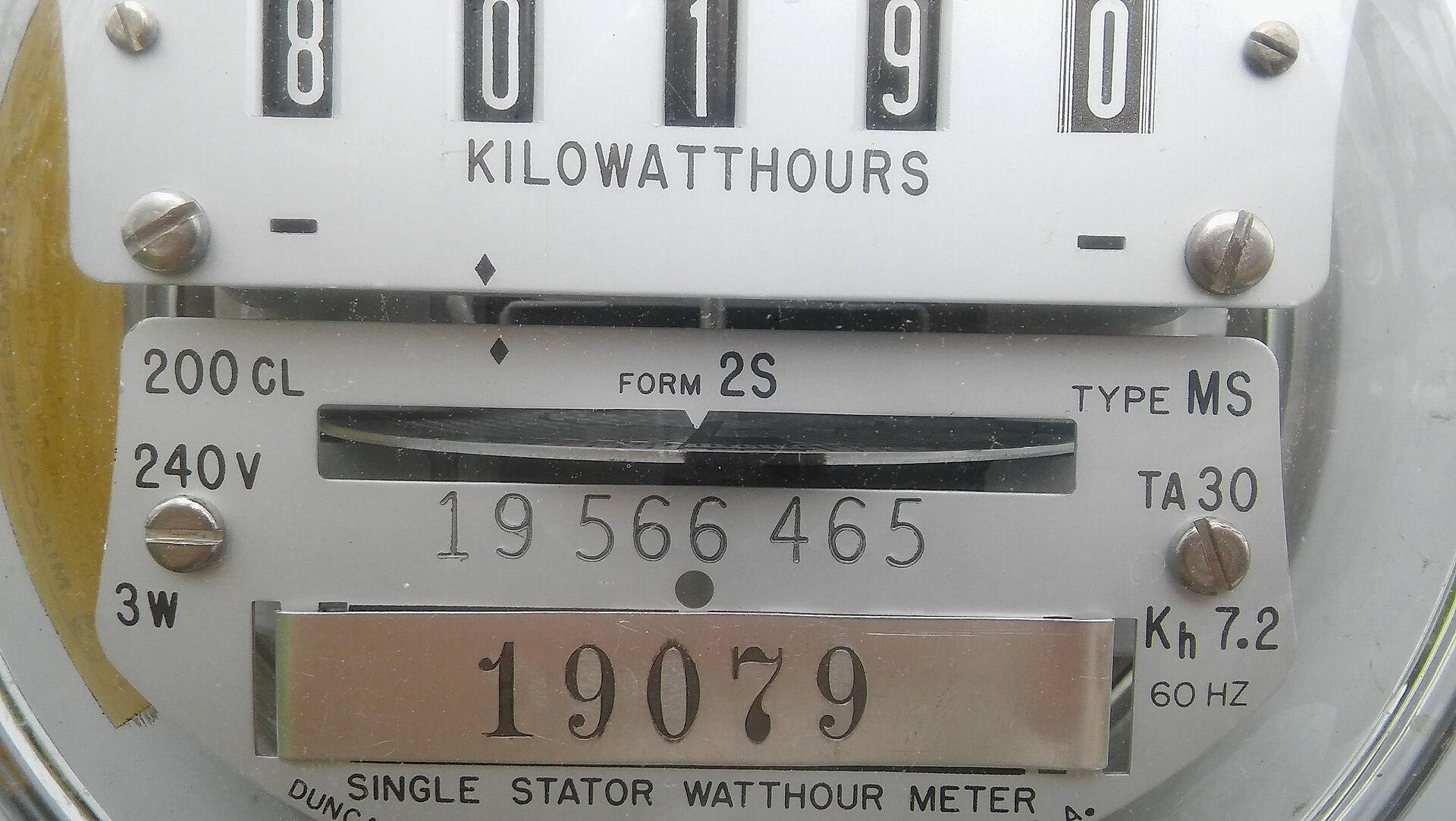
Utilities learned a century ago that people can’t convert meter units into money in their heads. AI vendors are learning it too — from the other side. Photo: LordShadowWing / Wikimedia Commons, CC BY-SA 4.0.

Yesterday — July 31, 2026 — Cursor users opened their usage page and found the dollar column gone. Where the page used to show what each request cost in money, it now shows token counts. No changelog entry, no announcement. Users noticed within hours and the forum thread filled up fast, because the people who watch that page closely are exactly the people who were using it to keep daily spending under control.
A Cursor team member then confirmed the part that matters: this is deliberate design, and there is no setting to switch it back. Individual plans now show token counts for included usage; dollar figures only appear for on-demand overage. Enterprise plans — the customers with procurement departments — still get dollar amounts.
The stated reasoning is that dollar figures confused people, because the “value” of included usage often exceeded the plan’s sticker price and users didn’t understand why a $60 plan showed $140 of usage. That’s a real UX problem. But the fix they chose — removing the money and showing raw tokens — replaces a confusing number with a meaningless one for most users, and it’s worth being clear-eyed about the direction of travel.
This piece is not a Cursor hit job. It’s about the pattern, because the pattern is coming for every AI tool you pay for: billing denominated in units you can’t intuit, with the conversion to money made progressively harder to see. If you run a small shop, an agency, or you’re a solo builder with three AI subscriptions and an API key, the answer isn’t to rage in a forum thread. It’s to build your own meter. By the end of this piece you’ll have one.
Tokens are the new kilowatt-hours, except worse
A token is roughly three-quarters of a word of English text. Every prompt you send and every response a model generates is metered in tokens, and the model provider charges the tool vendor per million of them, at different rates for input, output, and cache reads.
That’s already three prices. Now stack the realities on top:
- You don’t control token volume. Your agent decides how much context to load, how many files to read, how many times to retry. Two identical-looking requests can differ in cost by 50x depending on how much of your codebase got stuffed into context.
- Prices vary by model, by an order of magnitude or more. A request routed to a frontier model costs wildly more than one routed to a small fast model — and modern tools route automatically. Cursor’s own staff, in that same forum thread, explained that agents can spin up subagents with different model choices than the one you selected.
- Caching makes the math nonlinear. Cached input tokens are billed at a fraction of fresh ones. Whether your request hits cache depends on timing and internals you can’t see.
So when a vendor shows you “2.4M tokens” instead of “$3.80,” they are not simplifying. They are handing you a number that cannot be converted to money without knowing the model mix, the input/output split, and the cache-hit rate of every request — none of which the usage page shows you.
Utilities figured out the human side of this a century ago: nobody reasons in kilowatt-hours, so regulators forced bills to show money. AI tooling is a young, unregulated market running the same experiment in the other direction. There is no rule that says a usage page must show dollars, so the market will show whatever produces the least sticker shock.
To be fair to the vendors for one paragraph: subscription plans with “included usage” genuinely are awkward to display in dollars. If your $60/mo plan includes usage that would cost $140 at API rates, showing “$140” makes some users feel cheated and others feel confused. Token counts are at least true. But true-and-unintelligible is a well-known dark-pattern neighborhood, and the tell is that enterprise customers — who have leverage and accountants — still get the dollar column. Transparency didn’t get harder. It got redistributed toward the customers who demand it.
Why small operators get hit hardest
If you’re a large engineering org, this is an annoyance. You have a finance person, a Cursor enterprise plan (with dollar amounts!), and enough volume that averages smooth everything out.
If you’re a three-person agency or a solo operator, you’re in the worst position:
- You’re on the individual plan tier — the one that lost the dollar column.
- Your AI spend is now real money. For a lot of builders, AI tooling has quietly become a top-five business expense: $20–$200/mo per seat across a code editor, a chat assistant, an API key for automations, and maybe a transcription or image tool. That’s $1,000–$4,000/yr per person. You’d track any other line item that size.
- Shared caps make it worse. One forum poster nailed the team-of-a-few problem: with a shared on-demand usage cap, individual members now can’t see their own dollar contribution to it. First one to find out is whoever gets the overage email.
- Usage-based overage is where the danger lives. The included allowance is prepaid — burning it costs you nothing extra. The moment you cross into on-demand, every token is money, and the whole design question is how visible that boundary is while you’re working, not after.
The general principle, and it applies far beyond Cursor: any tool that can spend your money autonomously needs a meter you own. Not the vendor’s dashboard — a meter you control, that survives redesigns, “deliberate design” decisions, and the vendor’s incentive to make spend feel abstract.
Build your own AI spend meter (an afternoon, honestly)
Here’s a system that works for a solo builder or a small team, in increasing order of effort. Do level 1 today; add levels as your spend justifies them.
Level 1: The spend ledger (15 minutes, no code)
One spreadsheet, four columns: date, tool, plan cost, overage cost. One row per tool per month.
- Plan costs are known — enter them once with an autofill.
- Overage costs come from receipts. Set up a Gmail filter for billing emails from your AI vendors (
from:(cursor.com OR openai.com OR anthropic.com) subject:(receipt OR invoice OR payment)) → label themai-spend→ check the label on the 1st of the month.
This takes minutes per month and immediately answers the only question that matters at small scale: is this number growing, and does the growth match value? Most people who are angry about opaque usage pages have never once summed what they actually pay. Start there.
Level 2: Hard limits everywhere (30 minutes, no code)
Every serious AI provider offers spend controls at the account level — use all of them:
- API keys: set monthly budgets and email alerts on your OpenAI and Anthropic consoles. Both let you set a hard cap or an alert threshold per organization or project; per-project limits are the underrated feature, because your experimental automation shouldn’t share a budget with your production one.
- Tool subscriptions: set the on-demand/overage cap to a number you chose deliberately — not the default. In Cursor’s case the spending limit control still exists even though per-request dollars don’t; the cap is now your only dollar-denominated control, so treat it as load-bearing.
- The card itself: put AI tooling on a dedicated card (or a virtual card from your bank/Privacy-style service) with its own limit. This is the meter of last resort and it works on every vendor ever, including ones that don’t exist yet.
The mental model: vendor dashboards are lagging, revocable indicators. Card limits are leading, yours. When a vendor removes a dollar column overnight with no announcement, only one of those two categories still protects you.
Level 3: Meter the API directly (a few hours, some code)
If you run automations or agents against the raw APIs — and increasingly, that’s where small-business AI actually lives — you can meter at the source, because the APIs still tell you the truth. Every OpenAI and Anthropic API response includes a usage object with exact input, output, and cached token counts for that call.
The pattern:
- Route your calls through one thin wrapper (or a self-hosted gateway like LiteLLM, which does this accounting for you across providers). Every call logs: timestamp, model, project tag, input tokens, output tokens, cached tokens.
- Keep a price table — a small dict of per-million-token rates per model, updated when pricing changes. This is the piece vendors won’t maintain for you; it’s ~20 lines.
- Multiply and store. Append to SQLite or even a CSV. Cost per call, rolled up per project per day.
- Alert on the derivative, not the level. A daily total that’s 3x your trailing average is a runaway loop or a context-bloated agent; that’s the email you want at 9am, not on the invoice.
This is boring plumbing and it pays for itself the first time an agent gets stuck in a retry loop overnight. It also gives you the number no dashboard will: cost per unit of your business — per client project, per generated article, per processed invoice. That’s the number that tells you whether an automation is actually profitable, and no vendor can show it to you because no vendor knows what a “job” means in your shop.
Level 4: Make cost a first-class output of every automation
Once the wrapper exists, go one step further: every automation you build reports its own cost in its own output. The daily report your agent emails you ends with “this run: $0.41.” The invoice-processing script logs dollars alongside documents processed.
This changes behavior more than any dashboard. When cost is visible at the moment of use, you notice that the fancy model is only worth it for 10% of tasks, that one prompt’s preamble burns 30% of spend, that caching your system prompt halves the bill. Cursor’s forum users are angry precisely because they had this — cost at the moment of use — and lost it. Build it where you control it and nobody can take it away.
How to read vendor moves like this one
A few honest rules of thumb for evaluating AI tool pricing from here on out, because Cursor won’t be the last:
1. Distrust unit changes more than price changes. A price increase is legible — you can decide if it’s worth it. A unit change (dollars → tokens, requests → “compute units,” seats → “credits”) resets your intuition to zero, and resetting your intuition is usually the point. When a vendor changes what the meter counts, re-derive your cost per unit of work from scratch that week, while you still remember the old numbers.
2. Watch the enterprise/individual split. When transparency features exist for enterprise but not individuals — as is now explicitly the case with Cursor’s dollar display — that tells you transparency is a negotiated concession, not a value. Fine. Negotiate like an enterprise: your leverage is the ledger from Level 1 plus a low switching cost. Which brings us to —
3. Keep switching costs low on purpose. The coding-agent market in mid-2026 is brutally competitive: Cursor, Claude Code, Copilot, Windsurf, Codex CLI, and open-source harnesses are all plausible for real work. Vendors get bolder about billing UX exactly as fast as customers get sticky. Keep your prompts, rules files, and workflow docs in your repo (portable), not in tool-specific settings (captive), and re-evaluate quarterly against your actual cost-per-job numbers.
4. “Included usage” is prepaid inventory — measure how much you actually consume. If you’re consistently using 40% of your plan’s included allowance, you’re overpaying regardless of how the usage page denominates things. Your Level 1 ledger plus one month of attention answers this.
A worked example: metering one real automation
To make Level 3 concrete, here’s the shape of the wrapper for a typical small-shop automation — say, a script that summarizes inbound customer emails every morning:
import time, sqlite3
PRICES = {  # $ per 1M tokens: (input, output, cached_input)
    "claude-sonnet-4-5": (3.00, 15.00, 0.30),
    "gpt-5-mini": (0.25, 2.00, 0.03),
}

def metered_call(client, model, project, **kwargs):
    resp = client.messages.create(model=model, **kwargs)
    u = resp.usage
    pin, pout, pcache = PRICES[model]
    cost = (u.input_tokens * pin + u.output_tokens * pout
            + getattr(u, "cache_read_input_tokens", 0) * pcache) / 1_000_000
    db = sqlite3.connect("spend.db")
    db.execute("INSERT INTO calls VALUES (?,?,?,?,?,?)",
               (time.time(), project, model, u.input_tokens, u.output_tokens, cost))
    db.commit()
    return resp
Fifteen lines, one table, and every automation you route through it becomes self-accounting. A weekly query — SELECT project, ROUND(SUM(cost),2) FROM calls GROUP BY project — gives you the per-project dollar view that no vendor dashboard can, because vendors bill per account, not per your unit of work. When a provider changes prices, you update one dict. When a vendor hides a dollar column, you genuinely do not care.
The bigger point
There’s a version of this story that’s just consumer grumbling about a UI change, and the forum thread has plenty of that. The version that matters for builders is structural: AI tooling is becoming metered infrastructure, and metered infrastructure always ends up with a gap between what the meter shows and what the customer understands. Electricity, telecom, cloud computing — every metered industry has been through this, and in every one, the customers who did well were the ones who measured independently instead of trusting the bill.
The tools are genuinely worth paying for. That’s not in question — the productivity math on a good coding agent clears the bar even at 3x current prices for a lot of work. But “worth paying for” and “worth tracking” are the same category, not opposites. You track your biggest suppliers because they matter.
Fifteen minutes for the ledger. Thirty for the caps. An afternoon for the wrapper, when your API spend justifies it. Then the next time a vendor decides, deliberately, that you don’t need to see the dollar signs — you can shrug, because you never depended on theirs.
Sources
- Cursor forum: “Usage Page $$ to Token Amount? WHAT?” — the July 31, 2026 user reports, including Cursor staff confirmation that removing dollar amounts for individual plans is deliberate, that no setting restores it, and that enterprise plans retain dollar display.
- Cursor — official pricing page — current plan structure, included usage, and on-demand/overage model referenced above.
- OpenAI API pricing and Anthropic pricing — per-million-token input/output/cache rates used to explain why token counts can’t be mentally converted to dollars without the model mix.
- Hacker News discussion of the change (Aug 1, 2026) — broader builder reaction and reports of the same pattern across tools.
- LiteLLM documentation — self-hosted gateway with per-key/per-project cost tracking, the off-the-shelf version of the Level 3 meter.